Skip to content
  1. Bridgey
  2. Guides
  3. Copy and paste

How to copy and paste between Android and Mac

With Bridgey on both, copy on the Mac and paste on the phone with no tap. From the phone, a copy reaches the Mac at once while Bridgey is open; otherwise one tap sends it.

Written for Bridgey beta 19, 1 Nov 2026.

Mac to phone

Copy as usual. With Automatic clipboard on, which is the default, it is on the phone a moment later. To send by hand, use Control-Option-C; you can change the shortcut in Settings.

Phone to Mac

  1. Copy on the phone. If Bridgey is open, the Mac has it already.
  2. If it is not, pull down the Bridgey notification and tap Send copied item, or add the Send copied item tile to Quick Settings.
  3. Paste on the Mac with Command-V.

Android 10 and later let an app read the clipboard only while it is on screen. That is why the phone side needs Bridgey open or one tap.

Pictures and files too

Turn on Copy images and files in Settings > Clipboard, and copied images, videos and files move when you paste. If you took a screenshot in the last minute, Send copied item sends that.

One switch for Handoff

Apple’s Universal Clipboard can fight with Bridgey on a Mac. Let Bridgey handle copy and paste turns Handoff off on that Mac and restores it exactly when you turn it back off. A copy sent to several devices shows as one row in the activity list.
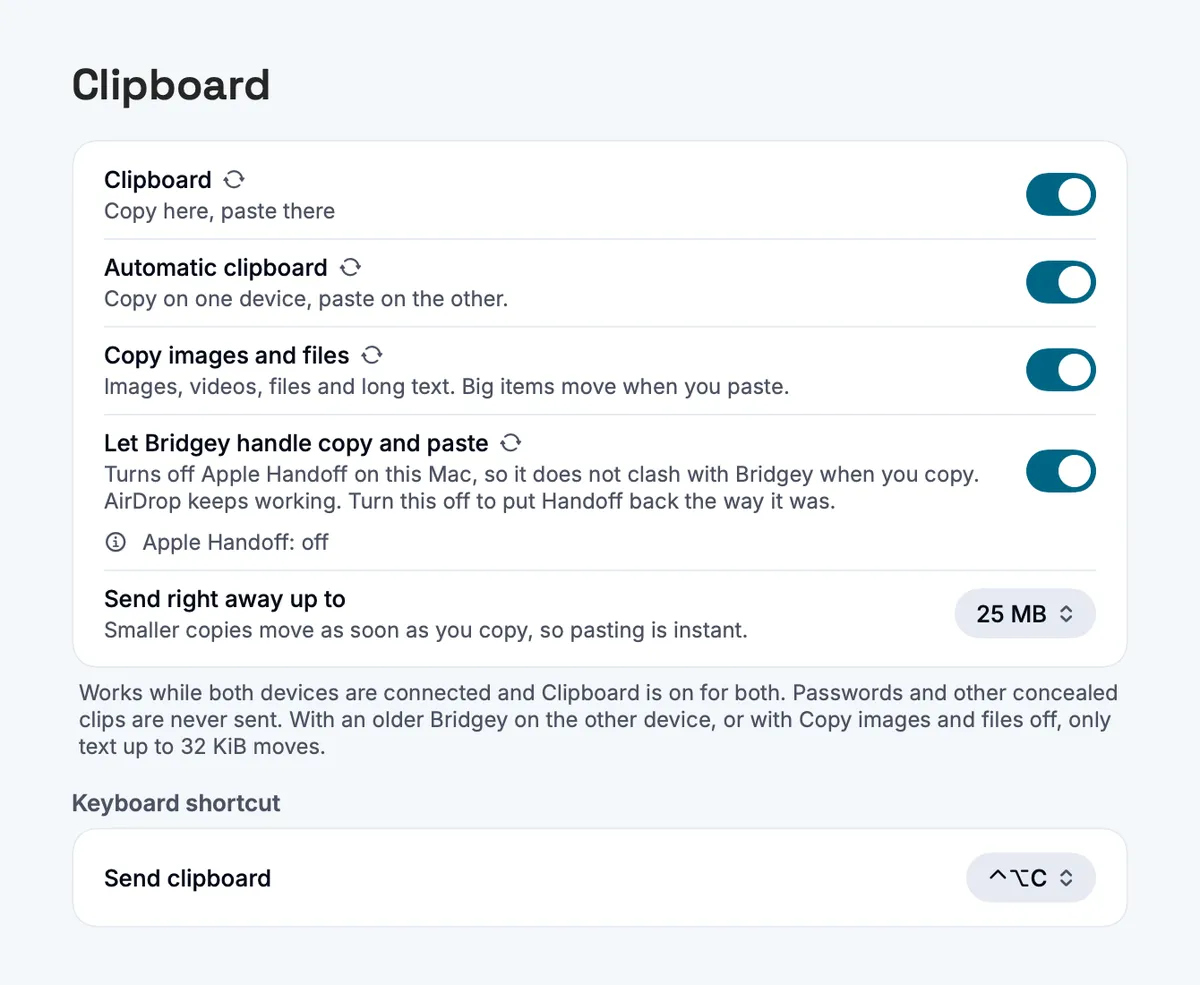
Bridgey’s Clipboard settings on the Mac, with Automatic clipboard, Copy images and files, and Let Bridgey handle copy and paste
Settings > Clipboard on the Mac.

Passwords, Handoff and the one tap

Why does copying on the phone not reach the Mac on its own?

Since Android 10, an ordinary app cannot read the clipboard in the background. While Bridgey is open it sends copies at once; otherwise tap Send copied item in its notification or the Quick Settings tile.

Are passwords sent?

No. Anything marked sensitive, for example by a password manager, stays where it was copied.

Does it clash with Apple’s Universal Clipboard?

Turn on Let Bridgey handle copy and paste in Settings > Clipboard on the Mac. It turns off Apple Handoff on that Mac and puts it back exactly as it was when you turn the switch off.

Install the beta on your phone and your Mac.

Free and open source, no account. Homebrew, Obtainium and checksums are on the download page. All the ways to install

For macOS 13+ and Android 8.0+. Beta 19; there is no stable release yet.

Next