How to transfer photos from Android to Mac without a cable
Install Bridgey on the phone and the Mac and pair them once. Then open Phone files on the Mac: your photos and videos are there, grouped by day. Drag them to Finder.
Written for Bridgey beta 19, 1 Nov 2026.
Open the phone’s photos on the Mac
Install Bridgey on both from the download page, and pair them on the same Wi-Fi.
On the phone, allow Bridgey to see your photos when it asks. Let other devices browse this phone is on by default in Settings > Files.
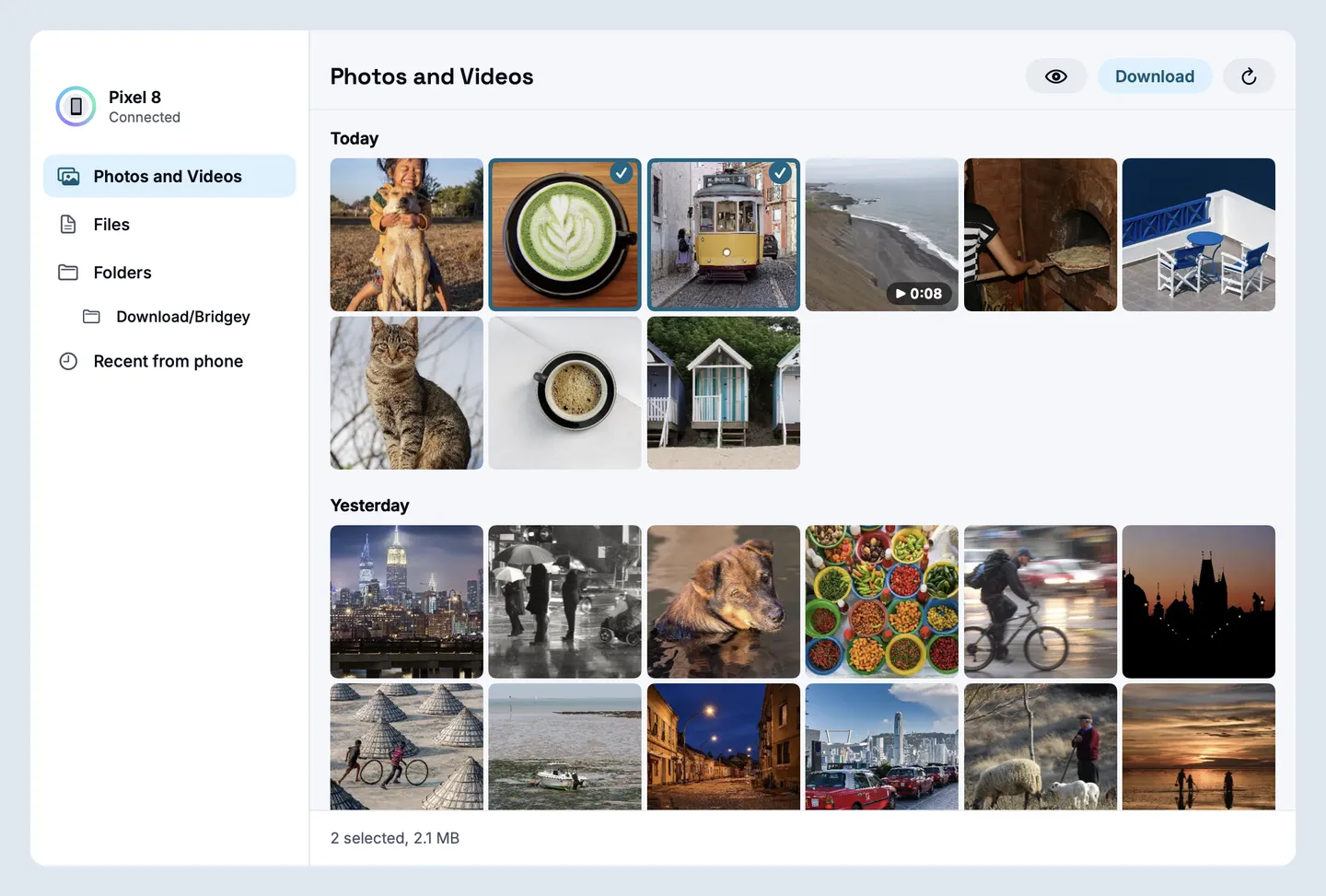
On the Mac, open Phone files from the Bridgey panel and choose Photos and Videos. The newest are first.
Select photos and drag them to a Finder window, or press Download. Space shows a photo or plays a video first.
Photos and Videos on the Mac, newest first. Two selected, ready to drag out.Photos on screen: Wikimedia Commons, credits.
Or send them from the phone
Pick photos in your gallery, tap Share and choose Bridgey. Or tap the attach button in Bridgey and use Photos and videos. They land in Downloads/Bridgey on the Mac.
Several files go one after another. You can cancel any of them, and a send that was cut off can be retried once the two reconnect. A received file never replaces one that is already there.
The other way
Drag photos from Finder into an open folder in Phone files, or drop them on the phone’s tile in the Bridgey panel. On the phone they land in Download/Bridgey.
Where your photos go
Where do photos from the phone land on the Mac?
Dragged photos go wherever you drop them in Finder. Photos sent from the phone, or downloaded with the Download button, land in Downloads/Bridgey, which you can change in Settings > Files.
Does it work without Wi-Fi?
It works on any connection between the two. Away from home, Bridgey connects directly or through Round Robin’s relay, which only sees encrypted data.
Are my photos uploaded anywhere?
No. They go from the phone to the Mac. Through the relay they stay encrypted, and the relay never sees file names or content.
Install the beta on your phone and your Mac.
Free and open source, no account. Homebrew, Obtainium and checksums are on the download page. All the ways to install